
Have you ever watched a vneedideo and noticed words appearing at the bottom of the screen? These words are called captions. They show what people are saying and can also describe important sounds that help viewers understand the video.
The closed captions meaning refers to text that displays spoken dialogue and relevant audio information on a video screen. Viewers can usually turn these captions on or off using the video player’s settings. They are especially helpful for people who are deaf or hard of hearing.
Closed captions are also useful when watching videos in noisy places, studying a new language, or viewing content without sound. In this guide, you will learn what closed captions mean, how they work, how they differ from subtitles, and how to use them on different devices.
What Does Closed Captions Mean?
Closed captions are written versions of the speech and important sounds in a video, television programme, film, or live broadcast. They appear on the screen in time with the audio.
For example, if a person says, “Welcome to our show,” the captions display those words. If a door slams or an audience starts laughing, captions may also describe those sounds.
The word closed means the captions are optional. Viewers can generally switch them on or off through the playback controls.
What Is the Simple Definition of Closed Captions?
In simple words, closed captions are words on a screen that show what people say and describe important sounds in a video.
They allow viewers to understand audio content by reading it. Unlike text that is permanently part of a video, closed captions can usually be hidden whenever the viewer chooses.
Example: A caption might read, “[Phone ringing] Hello, who is calling?”
This example shows both a sound effect and spoken dialogue.
How Do Closed Captions Work?
Closed captions work by displaying text that is synchronised with the audio of a video. The text appears as the relevant words or sounds occur.
Captions can be created manually by a trained captioner or generated automatically using speech recognition software. Live programmes and online meetings may use real-time captioning, while recorded films and videos can have prepared caption files.
Most video players include a captions or subtitles control. Depending on the platform, it may look like a speech bubble, the letters “CC”, or an “S” icon.
When captions are available, viewers can select the option to display them. Some services also allow users to change the text size, colour, or background.
What Information Do Closed Captions Include?
Closed captions can include more than spoken words. They provide important audio details that help viewers follow the content.
Common examples include:
- Spoken dialogue: The exact words people say.
- Speaker identification: The name or description of the person speaking when it is not obvious.
- Sound effects: Sounds such as a door closing, a phone ringing, or footsteps.
- Music descriptions: Notes such as “[Soft music playing]”.
- Emotional or vocal sounds: Information such as “[Audience laughing]”, “[Sighs]”, or “[Gasps]”.
- Relevant off-screen speech: Words spoken by someone who is not visible in the scene.
The exact information depends on the caption file and the type of programme. Good captions include the audio details needed to understand what is happening.
Closed Captions Examples
Examples make the closed captions meaning easier to understand. Imagine you are watching a film, an online lesson, or a television programme.
| Audio in the video | Example of closed captions |
| A person speaking | “I will meet you tomorrow.” |
| A telephone rings | “[Phone ringing]” |
| Two people laugh | “[Both laughing]” |
| Background music starts | “[Music begins]” |
| A door slams | “[Door slams]” |
| A person whispers | “[Whispering] Come closer.” |
| An audience applauds | “[Audience applauding]” |
These examples show how captions provide context beyond the dialogue. They help viewers understand important sounds even when they cannot hear the audio.
What Is the Difference Between Closed Captions and Subtitles?
Closed captions and subtitles look similar because both display text on a video. However, their traditional purposes are different.
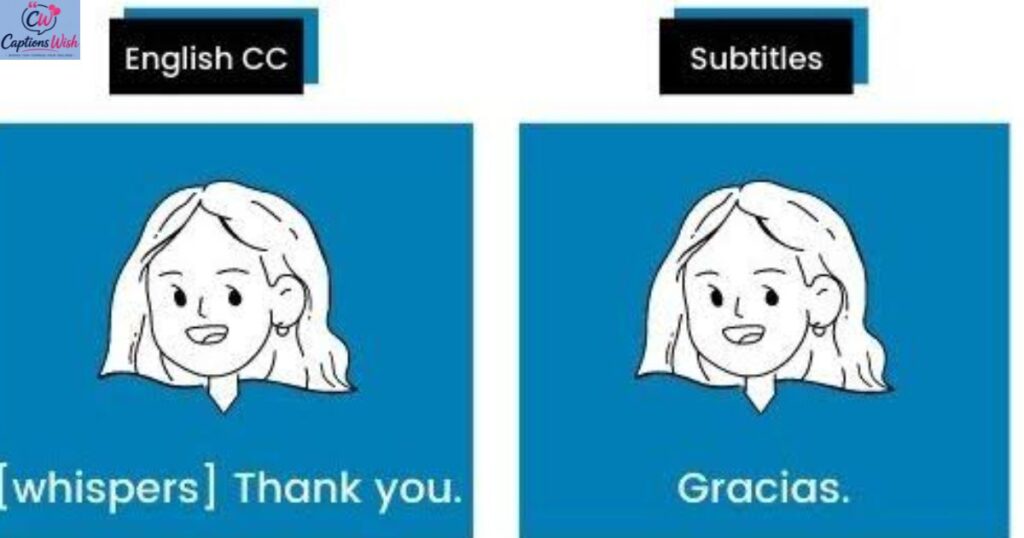
Closed captions are designed to represent spoken dialogue and other meaningful audio information. Subtitles traditionally focus on dialogue, often translating it into another language for viewers who do not understand the original language.
For example, English closed captions for an English film may include “[Door slams]” and the words spoken by each character. English subtitles for a French film may translate the French dialogue into English.
However, streaming services sometimes use the words “captions” and “subtitles” interchangeably. The exact features depend on the platform.
Closed Captions vs Subtitles: Quick Comparison
| Feature | Closed captions | Traditional subtitles |
| Main purpose | Make audio content accessible | Help viewers understand dialogue |
| Spoken words | Yes | Usually |
| Important sound effects | Usually included | Often omitted |
| Speaker identification | Included when needed | May be omitted |
| Translation | Can be in the original language | Often translated into another language |
| Can viewers switch them off? | Usually yes | Usually yes, when provided as a selectable track |
The most important difference is the additional audio information. Captions are intended to communicate relevant sounds as well as speech, while traditional subtitles often concentrate on dialogue.
What Is the Difference Between Closed Captions and Open Captions?
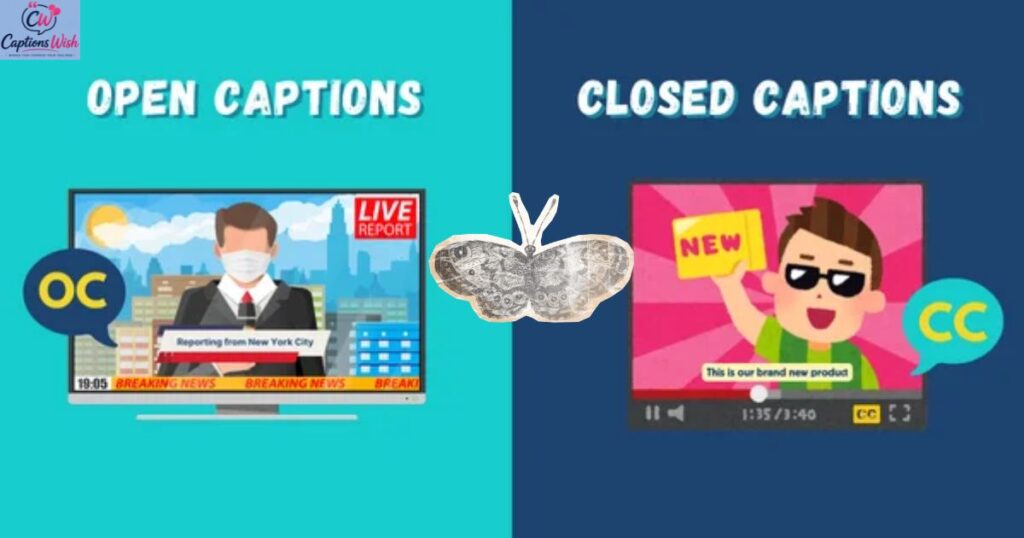
Closed captions and open captions both display dialogue and other relevant sounds as text. The difference is whether viewers can hide them.
Closed captions can generally be switched on or off using the player’s controls. They are supplied separately from the video image.
Open captions are permanently displayed as part of the video image. Viewers cannot switch them off through the video player.
For example, a social media video with words permanently printed over the footage uses open captions. A film with a selectable “CC” option uses closed captions when that option provides the caption track.
Both formats can improve accessibility. The right choice depends on how and where the video will be watched.
Why Are Closed Captions Important?
Closed captions help make video and audio content accessible to more people. They also provide practical benefits in everyday situations.
Here are some of the main reasons they matter:
- Accessibility: They help deaf and hard-of-hearing viewers follow spoken content.
- Better understanding: Sound descriptions can explain events that might otherwise be missed.
- Flexible viewing: People can watch videos in quiet places without turning on the sound.
- Language learning: Readers can connect spoken words with their written form.
- Improved concentration: Some viewers find written dialogue easier to follow.
- Clearer online meetings: Captions can help participants follow discussions in video calls.
- Convenient learning: Students can review spoken information while watching educational videos.
The UK Government’s accessibility guidance recommends captions for video where possible, and the NHS digital service guidance explains that captions should cover dialogue and relevant sounds. 【turn475824search1】【turn475824search3】
Who Uses Closed Captions?
Closed captions are useful for many different people. They are not only for viewers with hearing loss.
People who may benefit include:
- People who are deaf or hard of hearing.
- Students watching recorded lectures.
- People learning English or another language.
- Viewers watching television in a noisy room.
- People who cannot play audio in a public place.
- Employees attending online meetings.
- Anyone who prefers reading along while watching a video.
For example, a student may turn on captions while watching a science lesson to follow the explanation more easily. Someone travelling by train may use captions because they do not want to play audio aloud.
How to Turn On Closed Captions
The steps depend on the device, application, and video service. In many cases, you can enable captions by following these general instructions:
- Open the video you want to watch.
- Start playback.
- Look for the “CC”, speech bubble, or subtitles icon.
- Select the icon to open the caption options.
- Choose the available caption language or turn captions on.
- If the option is available, adjust the text size and appearance.
If you cannot find a captions option, the video may not have a caption track. You may need to check the device’s accessibility settings or the service’s help page.
How to Turn On Closed Captions on a Television
On many smart televisions, you can enable captions through the video player’s settings or the television’s accessibility menu.
Try these steps:
- Open the programme or film.
- Press the select, options, or settings button on your remote.
- Look for “Captions”, “Subtitles”, or “Accessibility”.
- Select the option you want.
- Return to the video and check whether the captions appear.
The exact process differs between television brands and streaming applications. Some services provide their own caption settings, separate from the television’s general settings.
How to Turn On Closed Captions on a Mobile Phone
On a smartphone, open the video and tap the screen to display the playback controls. Look for the captions icon, which may be labelled “CC” or “Subtitles”.
Select it and choose the available caption option. If no icon appears, check whether the app supports captions for that video.
Some mobile devices also provide system-wide live caption features for supported audio. These features are different from captions supplied directly with a video.
How to Turn On Closed Captions on a Computer
When watching a video in a web browser, move your cursor over the player to reveal its controls. Select the captions icon and enable the available track.
On some platforms, you can also change the caption size, text colour, or background. For BBC video content, for example, the official help guidance describes using the speech bubble control to enable closed captions in supported players. 【turn475824search2】
How to Turn Off Closed Captions
If you no longer need captions, you can usually disable them through the same menu.
- Open the video player.
- Select the “CC”, captions, or subtitles icon.
- Choose “Off” or disable the selected caption track.
- Continue watching the video.
If captions remain visible, check whether they are open captions permanently embedded in the footage. Open captions cannot be removed using the normal playback controls.
What Are Live Closed Captions?
Live closed captions display speech and relevant audio information while an event is happening. They may appear during live television, online meetings, webinars, presentations, or live streams.
Unlike captions prepared in advance, live captions must be produced in real time. They can be generated by automatic speech recognition or by a trained captioning professional.
Live captions are useful when people need to follow a conversation as it happens. However, accuracy can vary, especially when speakers talk quickly, several people speak at once, or background noise is present.
What Are Automatic Closed Captions?
Automatic closed captions are created by software that recognises speech and converts it into text. Many video platforms and meeting tools offer this feature.
Automatic captions can save time and make content easier to follow. However, they may misinterpret names, accents, technical terms, or words spoken in noisy environments.
For important videos, it is a good idea to review automatically generated captions before publishing them. Correct spelling, timing, speaker labels, and sound descriptions can make the content more useful and accessible.
What Is the Difference Between Closed Captions and a Transcript?
A transcript is a written version of the content from an audio or video recording. It is normally presented as a separate block of text or document.
Closed captions appear within the video player and are synchronised with the audio. They are timed so that each line appears when the corresponding speech or sound occurs.
For example, a transcript of a 10-minute interview may show the entire conversation on one webpage. Closed captions display the words in smaller sections as the interview plays.
Both formats are useful, but they serve different purposes. Captions support viewing in real time, while transcripts make it easier to read, search, or review the content separately.
Do Closed Captions Help With Learning?
Yes, closed captions can support learning by allowing viewers to read and listen at the same time. This can be helpful when studying a new subject, reviewing a lecture, or learning the pronunciation of unfamiliar words.
Captions may also help viewers notice key terms and follow explanations in educational videos. However, their usefulness varies by person and situation.
For the best learning experience, use accurate captions and pause the video when you need more time to understand a difficult idea. A transcript may also help when you want to review the entire lesson afterwards.
Can Closed Captions Be Wrong?
Yes. Closed captions can contain errors, particularly when they are generated automatically.
Common problems include:
- Incorrect spelling of names.
- Missing words or incomplete sentences.
- Incorrect punctuation.
- Mistakes with accents or unfamiliar terminology.
- Captions that appear too early or too late.
- Missing sound effects or speaker identification.
These errors can change the meaning of a conversation. Creators should check captions for accuracy and timing whenever possible, especially for educational, professional, or important public information.
Why Are Closed Captions Not Showing?
If closed captions are not appearing, several issues may be responsible.
The video has no caption track: Not every video provides captions. Check whether another caption option is available.
Captions are switched off: Open the playback menu and select the correct track.
The app needs an update: An outdated application may not work correctly. Check for updates if the controls are missing or malfunctioning.
The caption language is unavailable: Choose another language if the service offers one.
The device settings are different: Some televisions and apps have separate accessibility settings. Check both the video player and device menus.
If the captions still do not appear, consult the streaming service’s help instructions or try another supported device.
Are Closed Captions the Same as CC?
Yes. “CC” is a common abbreviation for closed captions. It often appears as a button or menu option on television programmes, films, online videos, and streaming platforms.
Selecting the CC option usually allows you to enable or disable the available caption track. The exact appearance and features depend on the service.
Are Closed Captions Available on Every Video?
No. Closed captions are not available on every video. Their availability depends on whether the creator, broadcaster, or platform has provided a caption track or offers an automatic captioning feature.
Some services provide captions in several languages, while others offer only one language or none at all. Live streams may also have different caption options from recorded programmes.
If captions are important to you, look for an accessibility or captioning label before choosing a video.
What Does Closed Captioning Mean on Netflix?
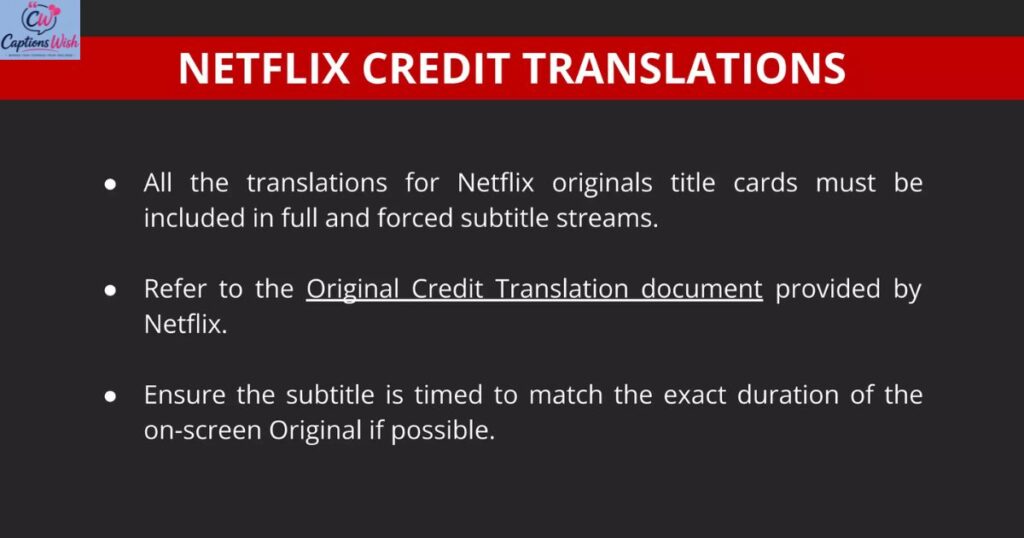
Closed captioning on Netflix displays dialogue and relevant sounds while you watch a film or television programme. You can usually choose a caption language from the audio and subtitles menu. The available options depend on the title, your location, and the device you use.
What Does Closed Captions Mean on YouTube?
On YouTube, closed captions show spoken words as text while a video plays. Some videos have captions uploaded by the creator, while others may offer automatically generated captions. To enable them, select the CC button when it is available.
What Does Closed Captions Mean on TikTok?
Closed captions on TikTok display spoken words as text within a video. They can help viewers understand speech when the sound is low or switched off. Depending on how the video was created, captions may be automatically generated or added by the creator.
What Does Closed Captions Mean on Zoom?
Closed captions on Zoom display spoken words during an online meeting or webinar. They help participants follow conversations and can improve accessibility for people who have difficulty hearing. The available caption features depend on the meeting settings, account configuration, and host permissions.
What Does Closed Captions Mean on a Phone?
On a mobile phone, closed captions are text displayed alongside video or supported audio content. You can often enable them through the video player’s CC button. Some Android devices also offer a Live Caption feature that generates captions for supported audio on the device.
What Does Closed Captions Mean in a Cinema?
In a cinema, closed captions can provide dialogue and descriptions of important sounds for viewers who need them. Depending on the cinema and screening, captions may be displayed on the main screen or delivered through a personal captioning device. Availability varies by venue and film.
What Does Closed Captions Mean in Accessibility?
In accessibility, closed captions help make audio information available to people who cannot hear it clearly or at all. They communicate speech and relevant sounds through text. Accurate captions can make educational videos, entertainment, public information, and online meetings more inclusive.
What Are SDH Subtitles?
SDH stands for subtitles for the deaf and hard of hearing. These subtitles include dialogue and may also describe important sounds, music, or speaker changes. They are similar in purpose to closed captions, although the terminology and technical format can differ between platforms.
What Is a Closed Caption File?
A closed caption file contains text and timing information that tells a video player when to display each caption. Common caption formats include SRT and WebVTT, although format support varies between services. A separate caption file can allow viewers to enable or disable text without permanently changing the video image.
What Is the Difference Between Captions and Audio Description?
Captions provide written information about speech and relevant sounds. Audio description uses spoken narration to explain important visual details, such as actions, expressions, or scene changes, for people who are blind or have low vision. These accessibility features serve different needs and can complement each other.
Do Closed Captions Help People Learning English?
Closed captions can help English learners connect spoken words with written language. They may make unfamiliar vocabulary easier to recognise and help learners follow different accents. Watching a short clip with accurate English captions and reviewing difficult phrases can be a useful learning activity.
What Makes Closed Captions Accurate?
Accurate closed captions match the spoken dialogue and important audio information. They should use correct spelling, clear punctuation, appropriate speaker identification, and well-timed text. Human review can help correct errors made by automatic speech recognition software.
Can Closed Captions Be Translated Into Another Language?
Yes. Some video platforms provide captions in several languages or offer automatic translation. The quality and availability of translated captions vary. When accuracy is important, a professionally reviewed translation is preferable to relying entirely on automatic translation.
What Are the Limitations of Closed Captions?
Closed captions can contain errors, omit sounds, or display words too quickly. Automatic systems may also struggle with background noise, strong accents, overlapping speech, or specialist terminology. Viewers may need to adjust caption settings or look for a more accurate caption track.
Are Closed Captions Required by Law in the UK?
Captioning requirements in the UK depend on the type of service, content, and applicable rules. Television broadcasters and online video services may have different accessibility obligations. Anyone publishing video should check the relevant Ofcom rules and applicable accessibility requirements rather than assuming that one rule covers every situation.
How Can You Check Whether a Video Has Closed Captions?
Start the video and look for a CC, captions, or subtitles control. If the button is available, open it to see which caption tracks can be selected. You can also check the video’s description or accessibility information, although the playback controls are usually the most direct way to confirm availability.
What Is the Best Way to Use Closed Captions?
Choose a caption track in a language you understand, make sure the text is readable, and adjust its appearance if the platform allows it. For learning, pause when necessary and review unfamiliar words. If captions appear inaccurate, check whether another track is available or report the issue to the content provider.
How Can Creators Make Closed Captions Better?
Creators can improve captions by checking that the text is accurate, easy to read, and synchronised with the audio.
Useful practices include:
- Include all dialogue that is necessary to understand the content.
- Identify speakers when their voices are not obvious.
- Describe important sounds, music, and reactions.
- Correct automatic captioning errors.
- Use readable text with good contrast against the background.
- Keep captions synchronised with the audio.
- Make caption controls easy to find.
- Test captions on different devices and screen sizes.
Good captions should help viewers understand the content without distracting them from the video.
Relevant Post……………Birthday Wishes in Marathi for Best Friend: सुंदर वाढदिवसाच्या शुभेच्छा
Conclusion: Understanding Closed Captions Meaning
The closed captions meaning is simple: they are on-screen text that represents spoken dialogue and important sounds in a video. Viewers can generally turn them on or off using the playback controls.
Closed captions support accessibility for deaf and hard-of-hearing viewers, but they can also help students, language learners, and people watching videos without sound. They differ from traditional subtitles because they can include sound effects and speaker information, not just dialogue.
Whether you are watching television, attending an online meeting, or learning from a video, closed captions can make audio content easier to follow. When captions are accurate and properly timed, they help more people understand and enjoy the same content.
Frequently Asked Questions About Closed Captions Meaning
1. What does closed captions mean in simple words?
Closed captions are words displayed on a video to show what people say and describe important sounds. Viewers can usually turn them on or off.
2. What does CC stand for?
CC stands for closed captions. It is commonly used on televisions, streaming services, and online video players.
3. What is the main purpose of closed captions?
Their main purpose is to make audio content accessible by displaying dialogue and relevant sounds as text. They are especially helpful for people who are deaf or hard of hearing.
4. What is the difference between closed captions and subtitles?
Closed captions generally include dialogue and important sounds, while traditional subtitles usually focus on spoken dialogue and may translate it into another language. Some platforms use these terms interchangeably.
5. Can I turn closed captions off?
Yes. If the video uses closed captions, you can usually switch them off through the CC, captions, or subtitles menu. Open captions permanently embedded in the video cannot normally be switched off.

